A Better Way to Help Customers Find the Right Plant
Our ’26 survey among 668 consumers showed that 73% of the consumers decided not to buy a plant due to a lack of information. And that’s not a surprise, since garden center websites are not really helping customers to find a plant. If someone searches for Hydrangea, Lavender or Hosta, they will usually get some summarized information and generic tips.
How can we help that 73% of the consumers who need more information? How can we help them to buy a plant that fits their needs? And how can we help common people who don’t understand Latin names?
A customer may know that they have a sunny spot in the garden, want something that flowers in summer and prefer a plant that does not grow much taller than three or four feet. They may be looking for something suitable for a shady border, something that attracts pollinators like bees or simply a plant that does not require too much maintenance.
These are very normal ways for consumers to think about plants, but they do not fit particularly well with the traditional search bar on a garden center website.
How most garden centers think
People working in the industry tend to start with the plant itself. We know plant names, recognize different plant groups (perennials, shrubs, etc) and usually have a reasonable idea of what will grow where.
Consumers, however, often start at the other end. They have a place in the garden, a problem they want to solve or an idea of what they want it to look like. They don’t know the difference between a shrub and a perennial nor do they really care about it. They simply need a plant for their situation!
How to find a plant - the right way
When we developed our plant finder, we put the customer first: how would they search? Simple: by explaining a situation and not by ticking boxes. So if you search for a “plant that flowers white in a shade border”, we present, well, plants that flower white and can handle shade. Simple, isn’t it?
This may sound obvious, but it changes the role of plant data quite a bit. While for most people, the data is the outcome, it should be part of the problem-solving process.
Having several thousand plants available is a strength, but only if customers can make sense of that choice. If you have 30 types of hostas, you need to help your customers to find the one that matches their situation.
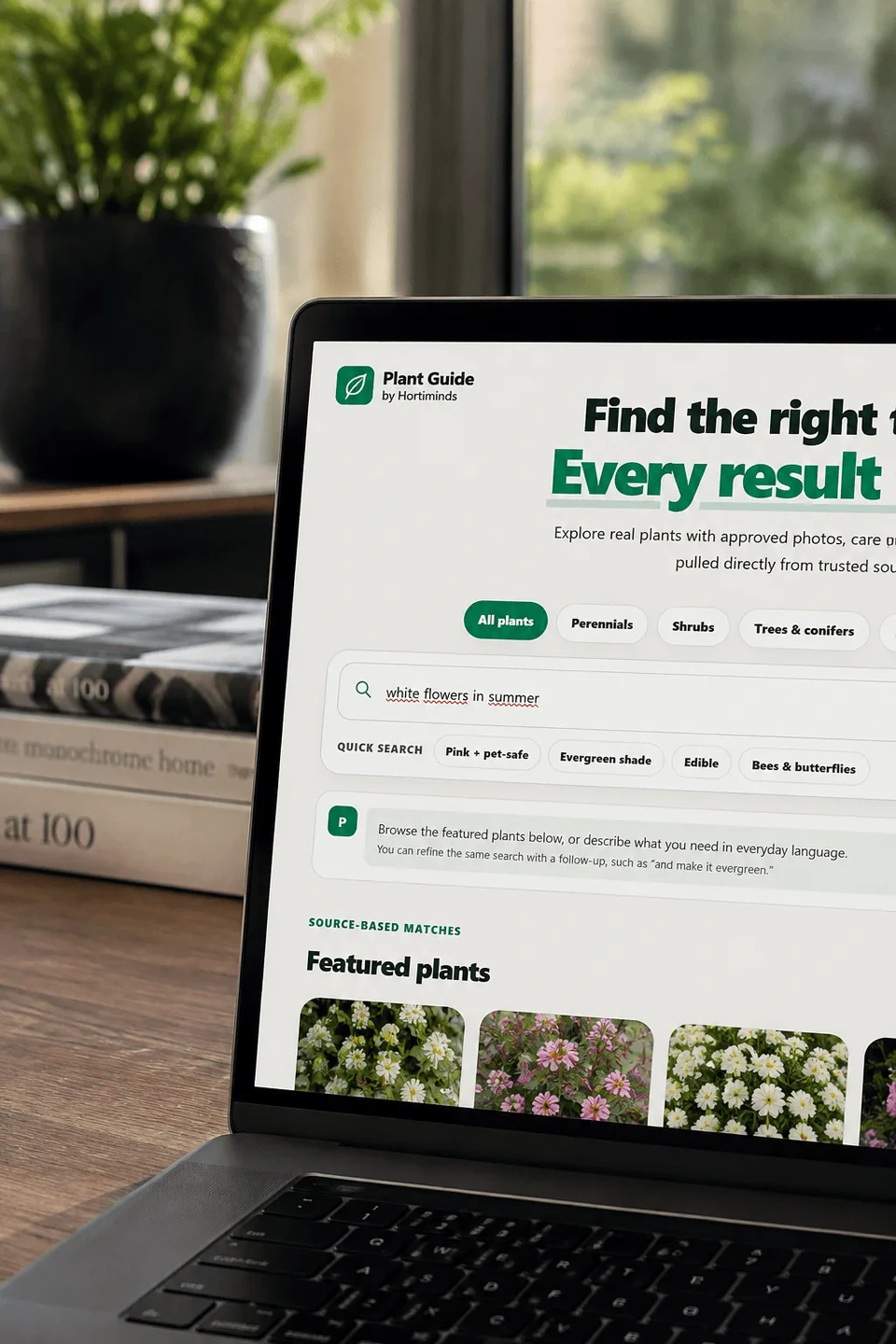
As you can see, this is much more intuitive and makes it easier to find plants matching the setting of the user.
That principle is already common in many other parts of retail. When people buy running shoes, mattresses, electronics or even a new car, websites help them narrow down the options based on what they need.
Plants are at least as dependent on the circumstances in which they are used, yet online plant retail still often expects the customer to do most of that selection work themselves.
Another simple trick is to add a calculator: how many plants do you need for a hedge or a border? Our calculator helps to indicate how many plants are required, as you can see here:
A Plant Finder with plants you actually sell
With the Open Plant Data Plant Finder, we wanted to make that process easier while keeping it connected to the actual assortment of the garden center. There is little value in recommending a perfect plant if you don’t sell it. The Plant Finder can therefore be built around the plants your garden center or nursery actually offers, with its own branding and the filters that are most useful for its customers.
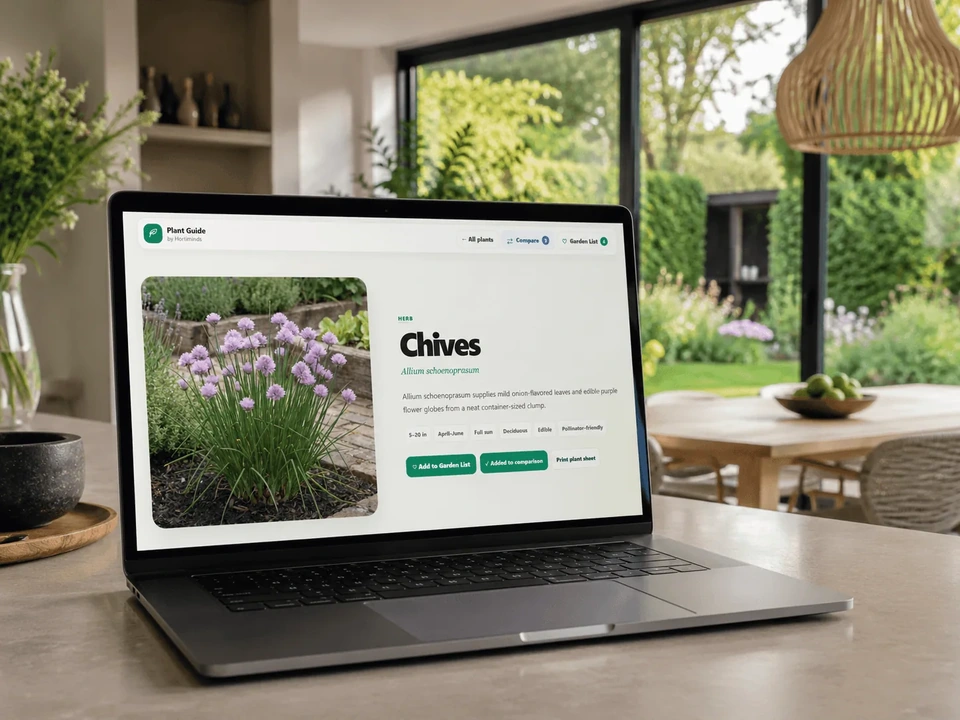
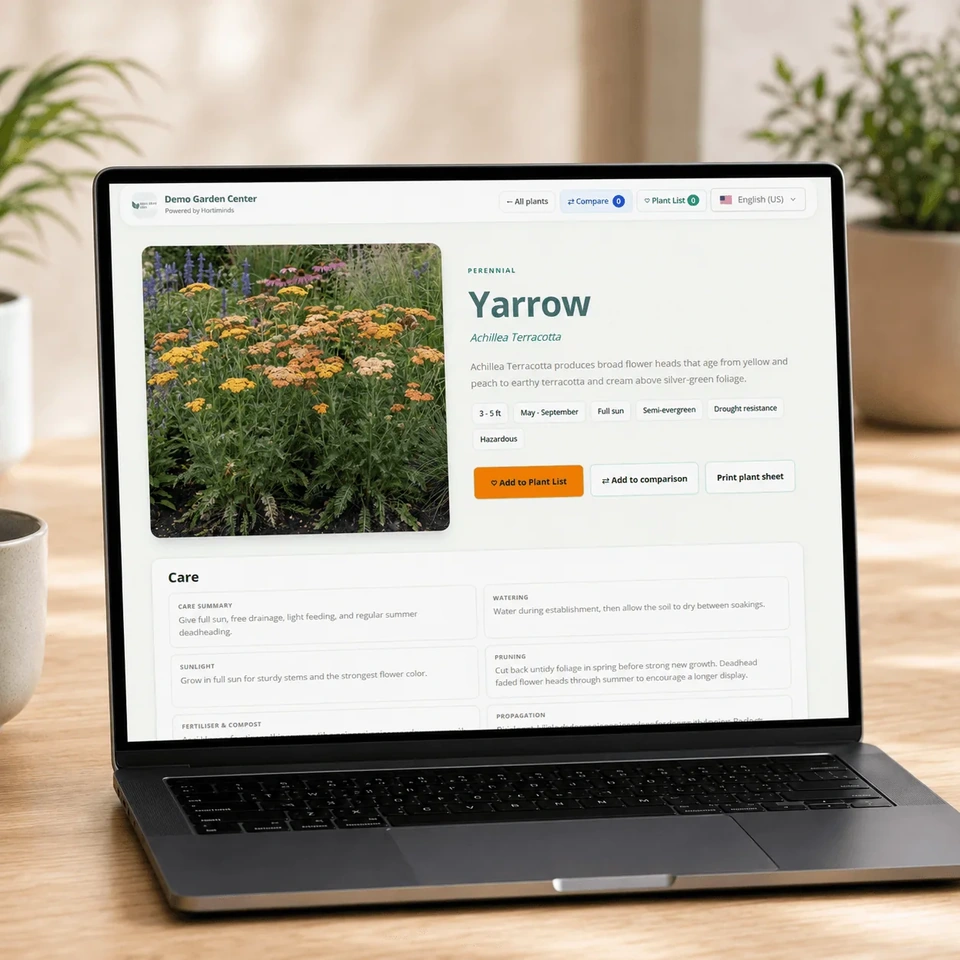
Once a customer finds a suitable plant, they can continue to a more detailed plant page with photos, characteristics and care information.
The same information can also be used in-store through QR codes on bench cards or other point-of-sale material. This makes the Plant Finder more than just a tool for your website. It becomes part of the way plant information is presented before, during and after the purchase. It also links the in-store experience with your website in an effective way.
That continuity is important because many questions do not disappear once the plant has been bought. Customers still want to know how much water it needs, how large it will eventually become or when they should prune it.
If the information they used before buying is still available afterwards, the garden center remains the source of that information instead of sending the customer back to Google.
Plant care sheets
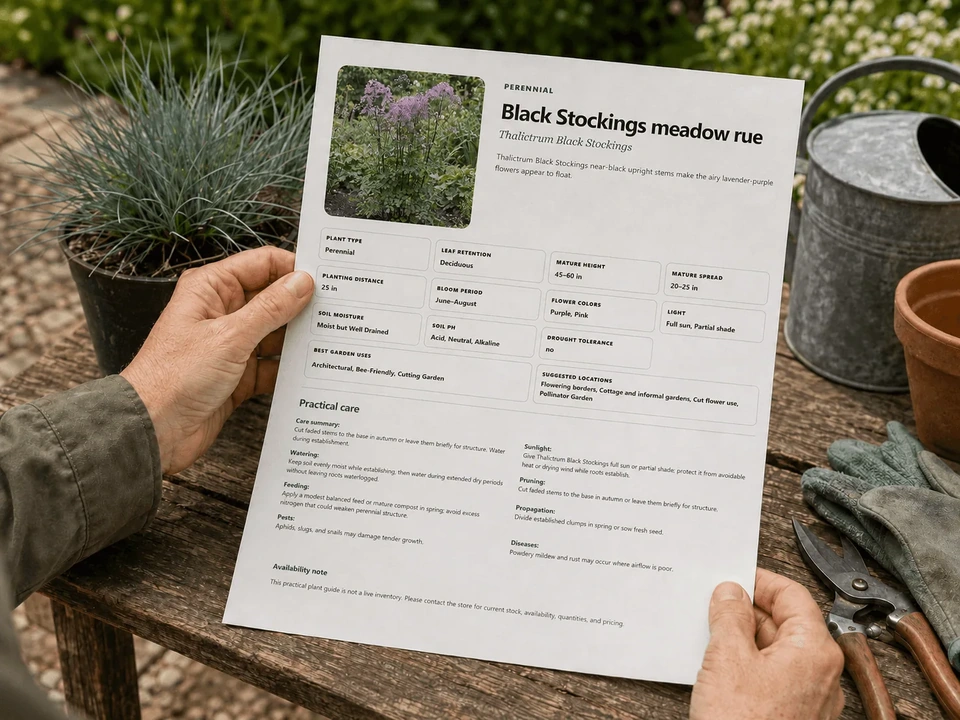
During a trip to the US we spotted plant care sheets: a garden center handed these printed sheets out to customers who had questions about plants. Perfect, but not scalable. That’s why we added the option to print a care sheet from the Plant Finder.
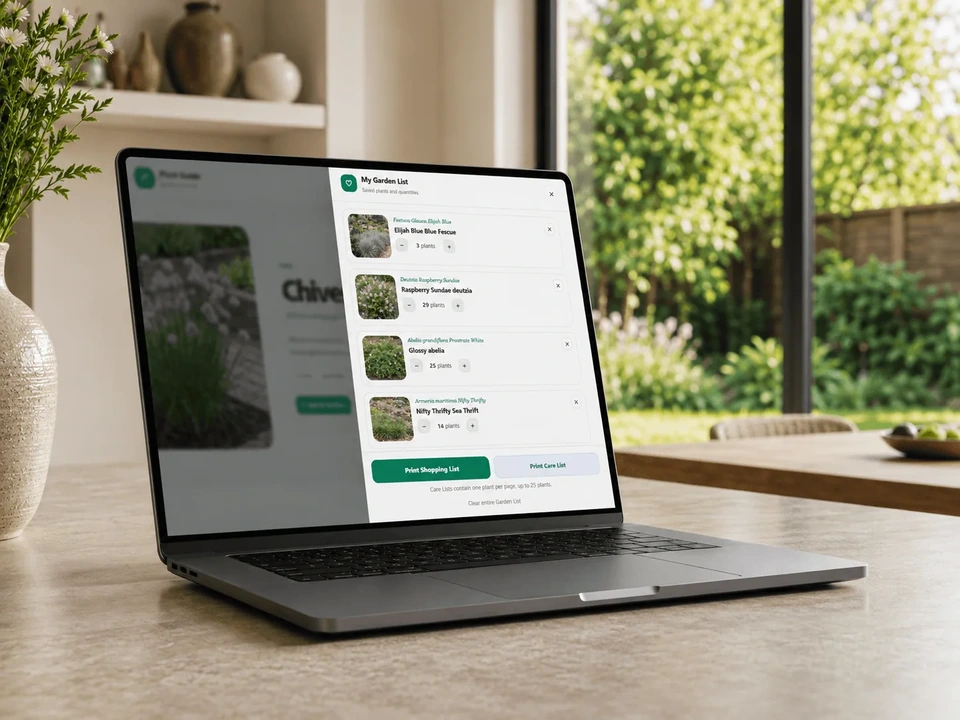
Even better: if you create a plant list to do your shopping, you can also print (or save) care sheets of all your plants with 1 click.
For us, that is the main value of a Plant Finder. It is not about adding another feature to a website. It is about making a large and sometimes complicated plant assortment easier to understand.
Plant shopping lists
Another thing we observed was that plant finders and online information in general aren’t really linked to a store-experience. So we added the option to create a plant shopping list on the plant finder. This is not an alphabetical list since that is pretty useless if you walk around in a garden center.
Instead, we decided to categorize it by type, since you usually put all your shrubs, perennials and other plants next to each other.
Help your customers to find the plant for their needs!
Customers should not need to know the botanical name of a plant before a garden center website can help them. They should be able to describe what they are looking for and get a sensible selection in return.
That is ultimately what good plant information should do: make it easier to choose the right plant and care for it, long after the purchase is completed! 73% of your customers want this, so perhaps it’s time to get it done?
Free webinar
Selling Plants in a Digital World
What 668 Consumers Told Us About Plant Information & Buying Behavior
• How do consumers decide which plant to buy and where to buy it?
• What information is essential during the buying process?
• What do customers expect from you after their purchase?
Register to join live or receive a link to the replay. The webinar takes about 45 minutes.